


Acrylic Nails Makeover Salon
0.00.00 Reviews
App Specs
- Version
- 1.9
- Updated On
- License
- Free
- Downloads
- 10,000+
- Developer
- Genius Unicorn Girls Games
- Categories
- Beauty
- Platform
- Android
Screenshots
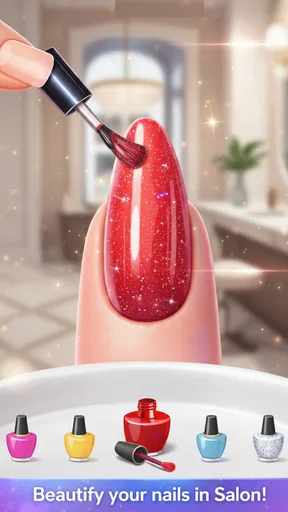
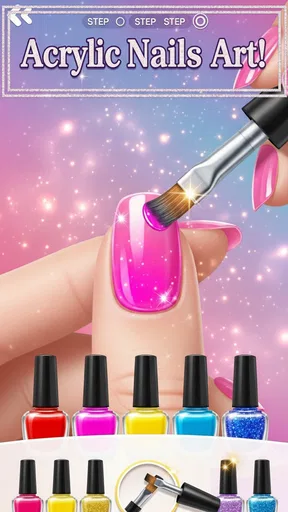

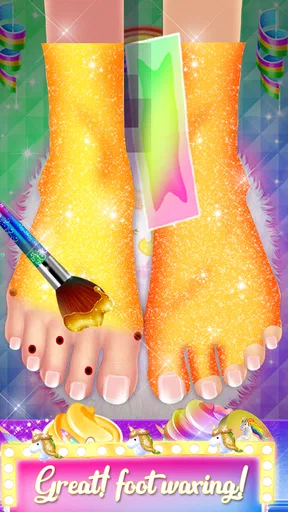

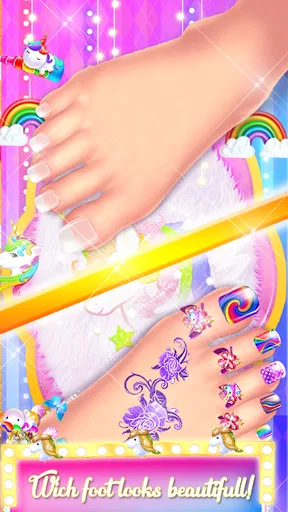

 Analysis by AppCompare
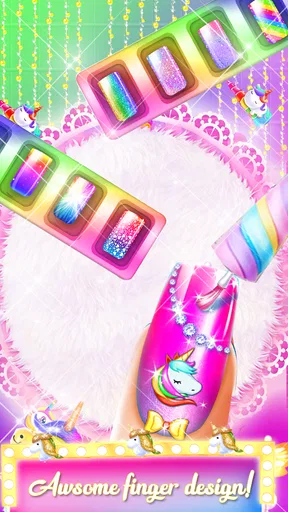
I found Acrylic Nails Makeover Salon to be a cheerful, simple beauty app built around cute nail styling rather than realistic salon management. It is aimed at anyone who enjoys choosing colors, decorating nails, and moving through makeover activities at an easy pace. My first impression was that it feels more like a casual creative pastime than a serious nail-design simulator, which is exactly why it can work well for a child, a quick break, or someone who wants a low-pressure activity.
The app comes from Genius Unicorn Girls Games and is free to use. It belongs to the beauty category, carries an Everyone age rating, and runs on devices using Android 6.0 or later. It was released on October 14, 2021, and the current version is 1.9. With over ten thousand installs, it has a modest audience, but its straightforward presentation makes it easy to understand without a long learning period.
What to expect from the salon experience
The central idea is a cute little kitty-themed nail makeover. You work through salon-style activities involving manicure, pedicure, polish, and fashion-art choices. The wording may suggest a full professional salon game, but I would set expectations a little lower: this is best understood as a light sequence of creative nail activities, not a detailed simulation with extensive client management or advanced design tools.
That distinction matters when deciding whether it suits you. If you want a relaxing app where you can make colorful choices and see a playful result, the concept is appealing. If you are looking for authentic nail-care instruction, precise acrylic application, or a large design studio with unrestricted drawing, you will probably find the experience limited. Its strength is accessibility, not technical depth.
The kitty theme gives the app its identity. Instead of presenting a plain beauty workspace, it frames the makeover around a friendly character and a bright fashion-art atmosphere. I think this makes the app especially approachable for younger users who might otherwise find a conventional manicure app dull. Adults can still enjoy it, but mainly as a short casual diversion rather than a long-term creative tool.
The level-based structure also helps give the activity a sense of direction. A first-time user does not need to invent an entire manicure concept immediately. The salon format suggests a path: choose an action, make a visual decision, and continue toward a finished look. That structure is useful when you want a clear first success instead of opening a blank canvas and wondering what to do.
The best audience for this particular app
I would recommend it to children who enjoy dress-up and beauty games, families looking for a gentle creative activity, and casual players who prefer tapping through a guided makeover. It can also be a pleasant choice for someone who likes nail colors but does not want the pressure of getting a real manicure right.
Worth Reading Before You Choose

EA SPORTS FC Mobile 26 Is a Bigger Football Game, but It Takes Time

Flipboard Shows What News Apps Must Do Beyond the Feed

Switching to Android Auto Means Rethinking Your Driving Routine

Google Calendar Makes a Crowded Week Easier to Manage

Ludo King Makes the Most of the Minutes Between Plans

Baby Panda World Brings Quick Play to Modern Phones, but Its Game Library Feels Busy
It is less suitable for players who need deep progression, competitive goals, realistic tools, or a large library of professional techniques. Someone who wants to recreate a precise salon design may be happier with a dedicated nail-art editor or a tutorial-focused app. Acrylic Nails Makeover Salon is more about playful presentation than teaching a repeatable real-world procedure.
The most useful mindset is to treat it as a guided fashion-art activity, not a replacement for a real nail appointment or a professional design lesson. With that expectation, the simple controls and cute presentation make more sense.
Getting started without overthinking the first screen
Installation should be uncomplicated for compatible Android devices because the app supports Android 6.0 and above. Once it is available on the phone or tablet, I would begin with the sound at a comfortable level and use a device with enough screen space to see the nail details clearly. A larger phone or tablet is preferable for younger users because small decorative elements can be harder to distinguish on a compact display.
The app is free, which removes the need to make a purchase before trying the basic experience. That makes it easy to hand over to a child for a short activity or test it yourself without committing money. I still recommend staying nearby during a child’s first session, not because the concept is difficult, but because young players often tap quickly and may move past an instruction before understanding what the next action expects.
When the salon opens, resist the temptation to tap everywhere at once. The quickest route to understanding is to identify the active nail or character area, then look for the visible control that advances the makeover. These games often communicate through large visual buttons rather than lengthy explanations, so paying attention to changes on the screen is more useful than searching for a complicated settings menu.
My advice for a first session is to focus on completing one makeover sequence rather than trying to inspect every option immediately. The first finished result teaches you the rhythm of the app: select an activity, apply a visual choice, and move forward. After that, experimenting becomes easier because you already know which parts of the screen are interactive and which parts are decoration.
Your first meaningful success
The first satisfying goal is not creating the most elaborate nail design. It is completing a full small action from beginning to end. Start with the manicure or polish activity that the app presents, follow the on-screen prompts, and make one deliberate color or fashion choice instead of tapping randomly. When the result appears, take a moment to notice how the app represents your changes.
This approach helps in two ways. First, it confirms that the controls are responding correctly. Second, it gives you a reference point for later experiments. If you change several things at once during the opening minute, it becomes difficult to tell which control affected the final appearance. A slower first attempt makes the rest of the salon feel much less confusing.
For a child, I would turn the first session into a small creative challenge: choose a color that matches the kitty’s style, then try a contrasting option on the next activity. This is more engaging than simply rushing through buttons, and it encourages the player to notice the relationship between color, decoration, and the overall fashion look.
For an adult trying the app, the same method works as a quick reset between tasks. Spend a few minutes finishing one look, then stop rather than forcing a long session. The app’s appeal comes from its lightness, so it does not need to become a major time commitment to be enjoyable.
How to make better-looking results
One practical tip is to decide on a simple color idea before making selections. A soft, matching palette usually creates a more coherent result than choosing every bright option available. If the app offers several decorative choices, begin with one noticeable detail and add more only when the design still looks balanced.
Another useful habit is to treat the manicure and pedicure portions as parts of one outfit. Even in a playful app, matching or intentionally contrasting the hands and feet can make the finished makeover feel more considered. I found this more rewarding than treating each screen as an unrelated task.
A third tip is to replay your own choices mentally after finishing. Which color made the design look cheerful? Which decoration made it feel crowded? This turns a basic tapping activity into a small exercise in visual judgment. It is not professional training, but it gives the app more value than simply pressing the most colorful button every time.
Where first-time users may feel confused
The biggest possible source of confusion is the difference between a salon label and the actual depth of the activity. Words such as acrylic, manicure, and fashion art can make a user expect detailed preparation, shaping, curing, or realistic nail-care steps. In practice, I would approach the app as a simplified makeover experience. The visual language is more important than real-world procedure.
Another point to understand is that a level-based format may not provide the same freedom as a blank design board. If you prefer to place every detail exactly where you want, guided activities can feel restrictive. That is not necessarily a flaw for the intended audience; younger players often benefit from clear steps. It simply means that creative freedom is shaped by the salon sequence rather than being completely open.
Players may also wonder why a choice does not produce a dramatic change. In a small casual beauty app, some selections are likely to be subtle, and the final appearance may depend on the combination of several actions. I recommend changing one element at a time and watching the result instead of assuming every tap will create a major visual transformation.
If a child appears stuck, the most helpful response is to ask what part of the nail or salon screen they are trying to change. That question encourages them to look for the active area instead of tapping the whole display. If the app seems unresponsive, first check whether the current step needs to be completed before another control becomes available; guided activities commonly require the user to finish the visible action in order.
The app is also not the right choice for every kind of beauty interest. A user who wants real acrylic safety advice should look elsewhere, because playful nail styling cannot explain preparation, hygiene, removal, or the risks of incorrect products. Likewise, someone seeking a social gallery, competitive rankings, or a serious portfolio tool would be better served by a more specialized alternative.
How it compares with the usual alternatives
Compared with a real salon visit, this app is cheaper, cleaner, and easier to repeat, but it cannot provide physical texture, professional consultation, or an actual wearable result. Compared with a tutorial app, it is more immediately playful but less useful for learning a dependable technique. Compared with an open-ended drawing program, it offers more structure and a clearer theme, while giving up some control over placement and experimentation.
That middle position is where it works best. It gives a first-time user enough guidance to reach a finished look without requiring artistic confidence. At the same time, it adds a little more purpose than a simple coloring tool because the salon framing creates a sequence of activities. I would choose it for a child’s casual play session before choosing it for an aspiring nail technician.
Its age rating of Everyone reinforces that approachable character. Parents can present it as a simple beauty-themed activity rather than an intense game. Even so, supervision remains sensible for younger children whenever they use a mobile device, especially during the first session when they are learning how the interface responds.
What continued use feels like
After the first successful makeover, the next step is to experiment with a different style rather than repeating the same choices. Try a softer look, then a bolder fashion-art combination. This is where the app’s level structure can become useful: it gives you a reason to continue while you compare how different choices affect the kitty’s appearance.
For a realistic everyday scenario, imagine waiting for an appointment or taking a short break after school. You can open the app, complete one salon activity, and leave it there without needing to remember a complex story or manage a long campaign. A parent could also use it as a quiet activity while preparing dinner, with the understanding that the child may need help during the first few minutes.
The trade-off is that the same simplicity that makes the app welcoming can reduce its staying power. Once you understand the basic rhythm, players who need constant novelty may feel that the experience becomes familiar quickly. I would not install it expecting months of deep engagement. I would install it for accessible, colorful sessions that are easy to start and easy to stop.
The developer, Genius Unicorn Girls Games, has positioned the app around a recognizable combination of cute characters, nail styling, and salon play. The current version is 1.9, and the app’s modest install history suggests a smaller footprint than the biggest beauty titles. That does not prevent it from being enjoyable, but it does make it especially important to judge it by its simple purpose rather than by comparing it with large, feature-heavy games.
One way to get more from it is to use the finished looks as inspiration for offline creativity. A child can sketch a favorite design on paper afterward, or choose clothing colors that match the manicure theme. This extends the activity without pretending that the app itself is a full art studio. It also gives the player a reason to make thoughtful choices instead of racing through each level.
I would skip this app if you dislike guided play, need realistic acrylic procedures, or want advanced customization with precise control. I would also look for another option if your main goal is learning how to perform a safe manicure in real life. Those needs call for instructional content, not a cute makeover game.
For everyone else, the free price makes trying it fairly simple. My recommendation is to begin with one complete salon sequence, use a deliberate color plan, and decide afterward whether the available level of creativity feels satisfying. If you enjoy cute fashion games and want a friendly first step into nail-art play, Acrylic Nails Makeover Salon is an easy app to understand and a pleasant choice for short sessions.
In the end, I see it as a small, accessible beauty app with a clear audience. It does not aim to replace professional nail tools or detailed design software, and it is better when judged as a playful kitty makeover experience. For a first-time user, the path is reassuring: install it on a compatible device, complete one guided activity, compare a few color choices, and then decide whether the simple salon format is enough for your style of play. For me, that focused purpose is its main strength.
Pros
- Fun makeover gameplay with plenty of nail designs and color combinations.
- Simple controls make it easy for younger players to create nail art.
- Creative freedom encourages experimentation with patterns and decorations.
- Quick sessions are suitable for casual play during short breaks.
- Bright visuals and salon-themed presentation are appealing to beauty fans.
Cons
- Some designs and decorations may require watching ads or making purchases.
- Gameplay can become repetitive after completing several makeover sessions.
- Frequent advertisements may interrupt the salon experience.
- Limited challenge may not satisfy players looking for strategic gameplay.
- The app may collect usage data depending on device and privacy settings.
FAQs for Acrylic Nails Makeover Salon
What is Acrylic Nails Makeover Salon?
Acrylic Nails Makeover Salon is a casual beauty and makeover game focused on creating stylish nail designs. You can shape nails, apply acrylic extensions, choose colors, add patterns, and decorate each manicure with accessories. It is designed for players who enjoy creative salon simulations and want to experiment with different looks without needing real nail products or equipment.
How do you play Acrylic Nails Makeover Salon?
Gameplay generally follows the steps of a virtual manicure appointment. You prepare the customer’s nails, select a shape and length, apply acrylic layers, polish the surface, and finish the design with colors, stickers, jewels, or other decorations. The controls are simple and usually rely on tapping, swiping, or selecting tools, making the game accessible for both children and casual players.
Is Acrylic Nails Makeover Salon free to download and play?
The game can typically be downloaded for free, but availability of optional purchases may depend on the Android or iOS version. Some tools, colors, designs, or salon features may be unlocked through advertisements, in-game progress, or paid items. Before downloading, it is worth checking the store listing for current pricing, advertising details, and whether the game offers optional in-app purchases.
Does Acrylic Nails Makeover Salon require an internet connection?
Basic salon activities may work without a constant internet connection, which is convenient when you want to play while traveling or away from Wi-Fi. However, advertisements, optional rewards, updates, purchases, or certain online features may require connectivity. Offline behavior can vary between versions, so it is best to test the installed game and avoid assuming that every feature will remain available without internet access.
Is Acrylic Nails Makeover Salon suitable for children?
Acrylic Nails Makeover Salon is generally suitable for children and families because it uses colorful visuals, simple controls, and non-violent makeover gameplay. Nevertheless, parents should review the age rating and privacy information before installation. Advertising and in-app purchases may be present, so parental controls are recommended, especially on shared devices or when younger players can access the app store.


